Phil and the workspace
Your data in one place. Phil does the work. You approve it.
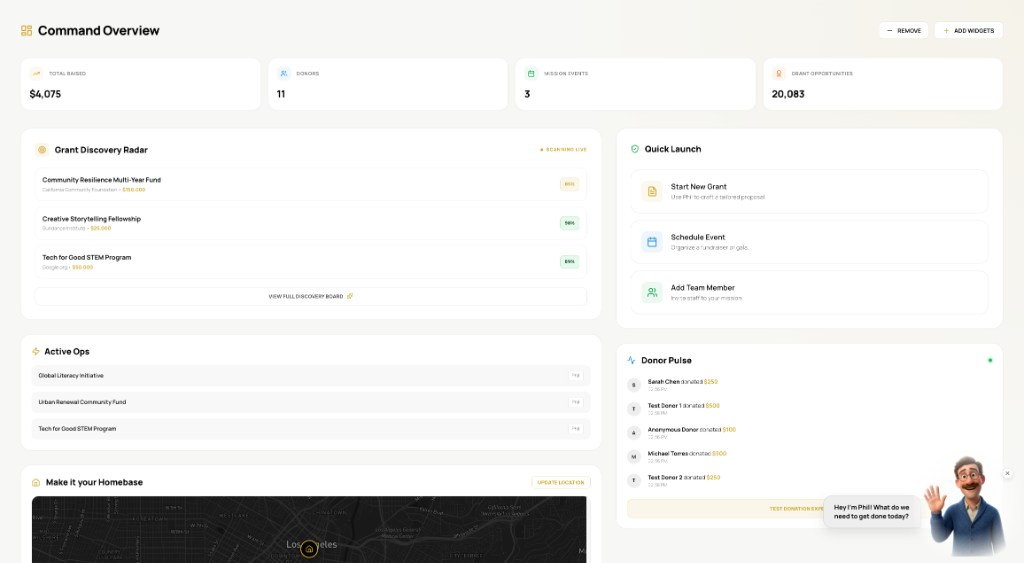
Your finances, donors and programs live in one workspace. Phil reads them, does the busywork, and brings it back to you before anything goes out.
Meet Phil
Ask for the work. Watch it get done.
Phil works through your own records step by step, shows you each one, and stops with a draft for you to approve.
Put together the board report for this quarter.
- Reading finances for the quarter (done)
- Pulling program outcomes (running)
- Drafting the report
One workspace
Three tabs. Opening on your role.
Finances, Donors and Programs. Each person opens on the numbers their job runs on.
The whole picture, one screen. Example numbers
Your call
Tasks you choose, with the control you choose.
Donor thank-you notes
A note for every gift, in your voice.
Suggest: Phil drafts, you send.
Categorize transactions
New transactions sorted to the right fund.
Auto: Phil acts within your limits. Anything that sends or spends waits for you.
Grant deadline reminders
A heads-up and a draft before each report is due.
Approve: Phil acts after one click.
Sources
Every answer shows its source.
Each figure Phil gives you links back to the record it came from, so you can check it in one click.
$46,200 of the $120,000 award is unspent, with the report due in 30 days.
See it with your own data.
Start with your organization and open the workspace.